


Y���kleniyor...
Yeni müşterilere özel %20 indirim — İndirim Kodu: ZIP20
X

Lütfen Ülke (Bölge) Seçiniz

Türkiye (Türkçe)Türkiye (Türkçe) Worldwide (English)Worldwide (English)
X

Lütfen Para Birimi Seçiniz

Türk Lirası $ US Dollar
Bilgi Bankası How to Remove an Email Account in SiteWorx

How to Remove an Email Account in SiteWorx

122 görüntüleme 0 faydalı buldu

To remove an email account, perform the following steps:


1. Log in to your SiteWorx account.

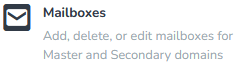
2. In the Email section, click on Mailboxes.

3. Select the email address you want to remove and choose Delete from the drop-down menu.
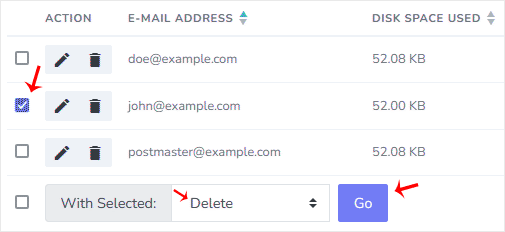

4. Click on Go and confirm with Delete.


You should see a success message that your email address has been removed.

Aradığınız Bilgiyi Bulamıyor musunuz?

Bilgi bankasını detaylı olarak incelediniz, fakat ihtiyacınız olan bilgiyi bulamıyorsanız,

Bir Destek Talebi Oluşturun.

Faydalı Buldunuz mu?