


 Turkey (Türkçe)
 Worldwide (English)
If you want to reset the PHP version to the default version, follow these instructions:
1. Log in to your cPanel account.
2. In the Software section, click on MultiPHP Manager.
3. Scroll down to the bottom of the page. Select your domain from the left side of the screen. You can view the PHP Version from the drop-down menu on the right. Please, select the appropriate PHP version from it and click on Apply.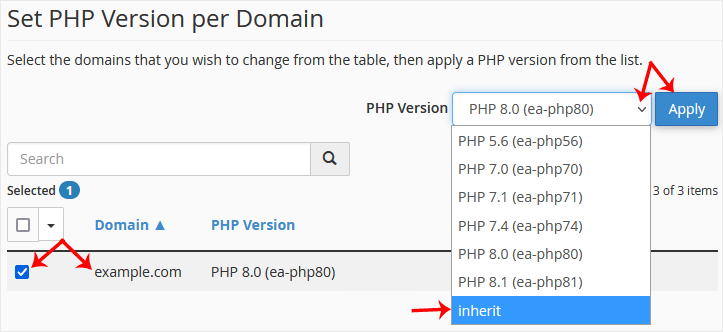
It will take a few seconds, after which your PHP version will reset to the default version.