


 Turkey (Türkçe)
 Worldwide (English)
1. Log in to your cPanel account.
2. In the Databases section, click on phpMyAdmin.
3. From the navigation tree in the left sidebar. Please select an appropriate database that you want to export to your computer
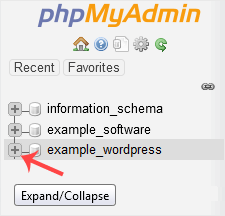
4. Click on Export.
5. Select SQL format and then click on Go.
SQL file will be downloaded within a few seconds, depending on the size of the file.
