


 Turkey (Türkçe)
 Worldwide (English)
1. Log in to your DirectAdmin Account.
2. In the E-mail Manager section, click on E-mail Accounts or type E-mail Accounts in the navigation filter box. The option will appear. Click on it.
3. Under the Email Account list, the email address appears with a plus icon on the right side.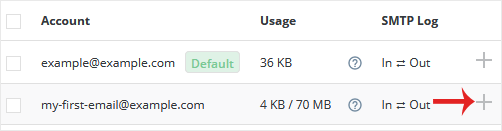
4. Click on the Plus icon and choose Change Password/Username.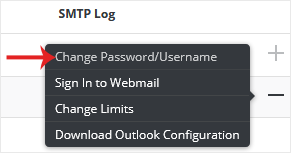
5. In the Username field, modify/rename your email username.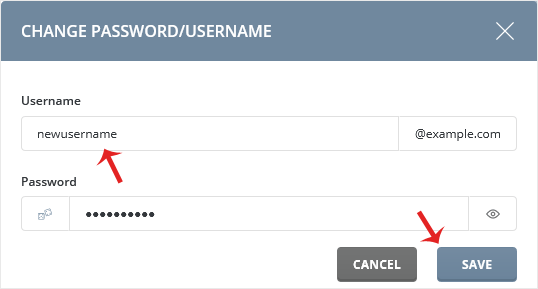
6. Click on Save.
Your email address will be renamed successfully.
