


 Turkey (Türkçe)
 Worldwide (English)
Follow these steps to change your Plesk contact email address.
1. Log in to your Plesk account.
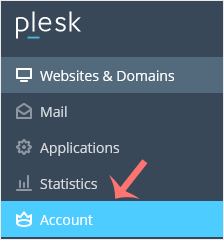
2. Click on Account from the Sidebar Menu.
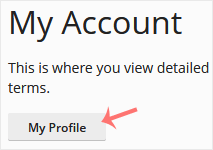
3. Click on My Profile.
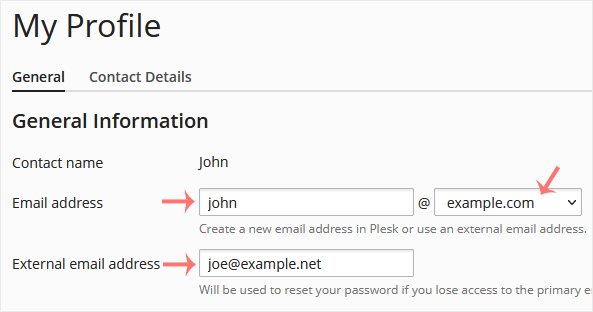
4. Enter the new primary email address in the Email Address field. Choose the appropriate domain from the drop-down menu if you have multiple domains. You can also update the external email address which is used for the password reset.
5. Click on Apply.

You will see a success message signifying that your Plesk contact email address has changed.